Implementation
Implementing the ROOK App requires building a secure binding flow to link the end-user device with the client environment. This process is initialized through the binding endpoint, which generates a QR code or a universal link using the unique user identifier and organizational metadata. To guarantee privacy, the request requires a security string (salt) of four to six characters. This salt enables local decryption on the mobile device and ensures that the platform does not store sensitive keys. Once binding is complete and the data source is authorized, the system transmits health metrics to the webhook configured.
The ROOK App simplifies the integration of ROOK SDKs by providing a ready-to-use mobile APP for health data extraction. This guide explains the steps required to customize your branding, bind users to the APP, connect them to data sources, and start receiving health data via webhooks.
Prerequisites
-
Generate Credentials
Obtain yourclient_uuidandsecret_keyfrom the ROOK Portal. Follow the Portal configuration to set up your credentials and register your Data Webhook. -
Prepare Your Backend
Set up an endpoint capable of receiving health data delivered by ROOK via the Data Webhook.
White Label
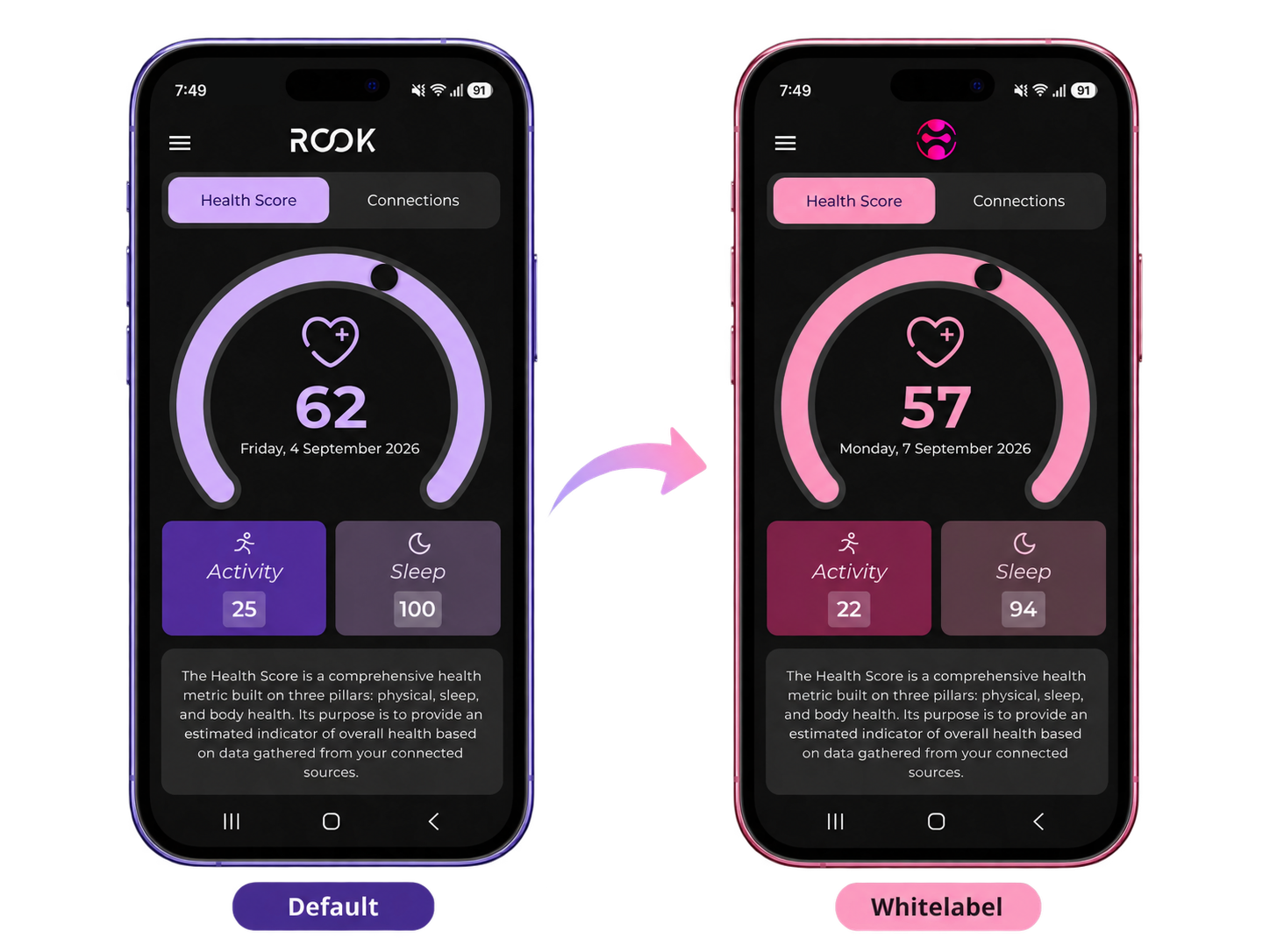
The White Label ROOK App uses the same ROOK infrastructure and data extraction capabilities as the standard ROOK App, while providing a customized experience for your users.
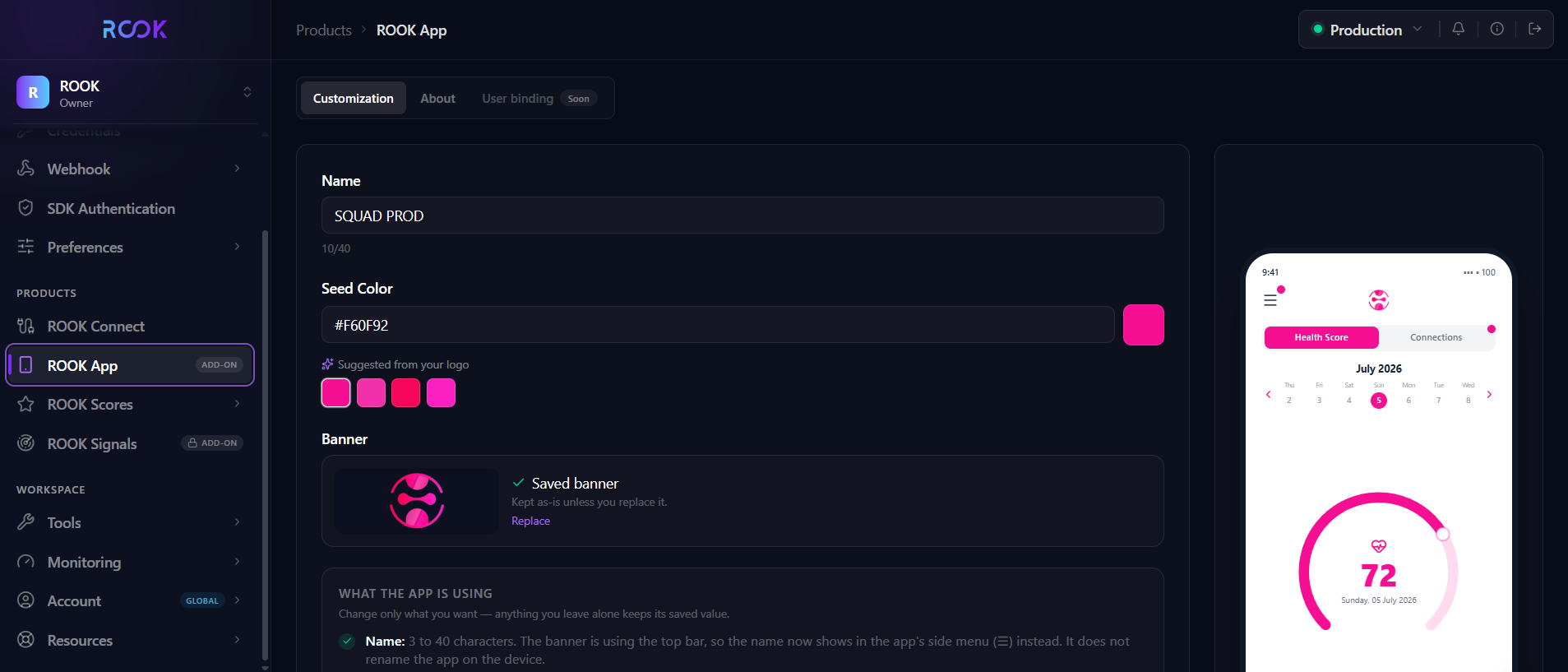
In the ROOK Portal, your team provides the branding configuration required for the application:
- Company name
- Company logo
- Primary brand color
ROOK uses this information to configure the application and generate the corresponding visual palette.
Once configured, users can access the branded application and connect their supported health data sources. ROOK manages the authorization and data extraction flow, processes the collected health data, and delivers it to your backend through the configured ROOK data delivery mechanisms.
User Binding: Generating Links and QR Codes
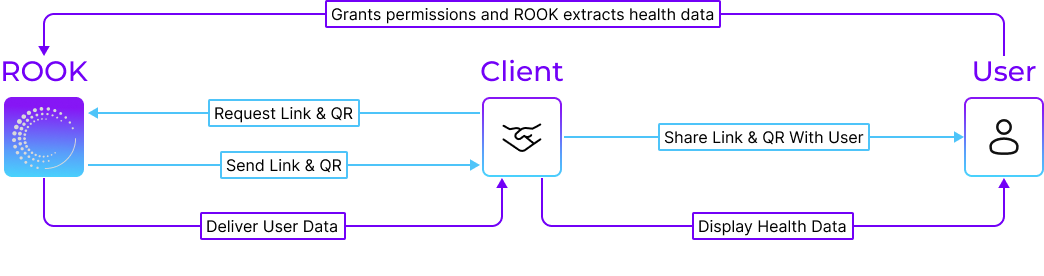
User binding links the ROOK App to a specific client configuration. This process is initiated using QR codes or universal links generated via the ROOK API.
Binding Overview
The user binding process initializes the APP with client-specific settings, such as terms and conditions, support links, and user identification. The generated QR code or universal link ensures a secure connection between the APP and the client system.
API Endpoint
- Method:
POST - Sandbox:
https://api.rook-connect.review/api/v1/extraction_app/binding/ - Production:
https://api.rook-connect.com/api/v1/extraction_app/binding/
You can use Postman to send this request.
Required Headers
Authorization: Basic <base64_encoded_credentials>
Content-Type: application/json
User-Agent: <user_agent>
Send Content-Type as exactly application/json. Do not append a charset (for example, application/json; charset=utf-8).
Request Body
{
  "user_id": "unique-user-identifier",
  "metadata": {
    "client_name": "Your Organization Name",
    "tyc_url": "https://example.com/terms",
    "support_url": "https://example.com/support",
    "complete_log_out": false
  },
  "salt": "unique-security-string"
}
- user_id: A unique identifier for the user. Learn more about user_id.
- metadata.client_name: The name of the client organization.
- metadata.tyc_url: (Optional) A URL for terms and conditions.
- metadata.support_url: (Optional) A URL for support.
- metadata.complete_log_out: (Optional) Determines whether logging out disconnects all linked data sources. Accepts
null; a null value is stored asfalse. - salt: A unique string used for encryption, must be between 4 and 6 characters.
Example Request
curl --location 'https://api.rook-connect.review/api/v1/extraction_app/binding/' \
--header 'Content-Type: application/json' \
--header 'User-Agent: <user_agent>' \
--header 'Authorization: Basic <base64_encoded_credentials>' \
--data '{
  "user_id": "user123",
  "metadata": {
    "client_name": "Your Company",
    "tyc_url": "https://example.com/terms",
    "support_url": "https://example.com/support",
    "complete_log_out": false
  },
  "salt": "123456"
}'
API Response
{
  "qr_code": "data:image/png;base64,BASE64_ENCODED_IMAGE",
  "universal_link": "https://extraction-app-user-bind.rook-connect.com/binding/unique-id?auth=1234&token=456"
}
- qr_code: A Base64-encoded QR code image.
- universal_link: A URL for initializing the APP.
Using the ROOK App
1. Bind Users
- Share the QR code or universal link generated using the API with the user.
- Users scan the QR code or click the universal link to initialize the APP.
- The APP is automatically configured with client metadata such as terms, conditions, and support links.
2. Connect to Data Sources
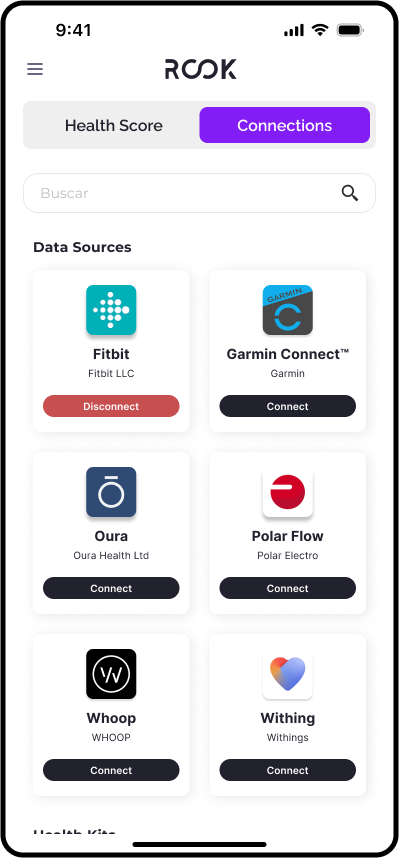
After binding, users connect to health data sources via the APP’s Connections View:
- API-Based Sources: Users complete OAuth flows for platforms such as Oura and Garmin.
- Mobile-Based Sources: Users grant permissions for Apple Health or Health Connect.
The APP collects data only after the user reviews and accepts the terms and conditions. During the connection process, users review and select the data types they want to share.
If a user denies a permission during the initial connection, extraction for that data source is incomplete. To correct it, the user must fully unlink that data source and reconnect, granting every permission it requests.
3. View ROOK Score
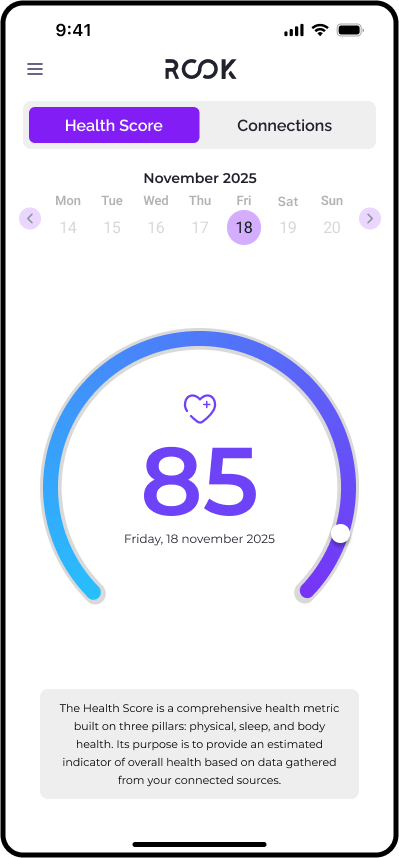
The APP calculates and displays a ROOK Score, a health score derived from extracted data. Scores are displayed by day, offering actionable insights into user health metrics. Learn more in the ROOK Score documentation.
4. Manage Account
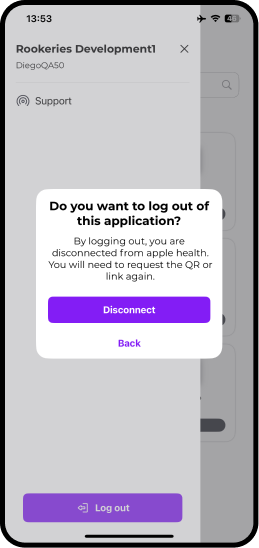
The APP allows users to log out, unlink accounts, or switch profiles. Logging out disconnects the user from the client
system but does not automatically unlink connected data sources unless complete_log_out is enabled.
Security Details
-
Salt and Encryption
Thesaltensures secure encryption and decryption. It is not stored by ROOK. The APP decrypts data on the user's mobile device, ensuring end-to-end security. -
QR Code Functionality
The QR code does not contain sensitive information. It serves as a reference to the binding configuration. -
Environment-Specific Binding
Devices can only bind to one environment at a time (sandbox or production). -
Data Sharing
Health data is shared only with the provider the user authorizes. It is transmitted securely and is not accessible to unauthorized parties.
Receiving Health Data
-
Delivery
Data is sent to the client’s registered Data Webhook as events or summaries. Refer to Data Delivery for details. -
Compatibility
The APP inherits all capabilities and limitations of the ROOK SDKs for mobile-based sources. -
Background Operation
The APP continues to extract data while running in the background, so users do not need to keep it open. Because battery restrictions vary by device, advise users to open the APP occasionally.
Next Steps
- Test the binding process and webhook delivery in the sandbox environment.
- Ensure users are educated on connecting to desired data sources via the APP.
- Switch to production URLs after successful testing.
- Explore additional resources: